Keebo Tips: Cost Savings Slider Bar


Unlock more Snowflake savings with a single click.
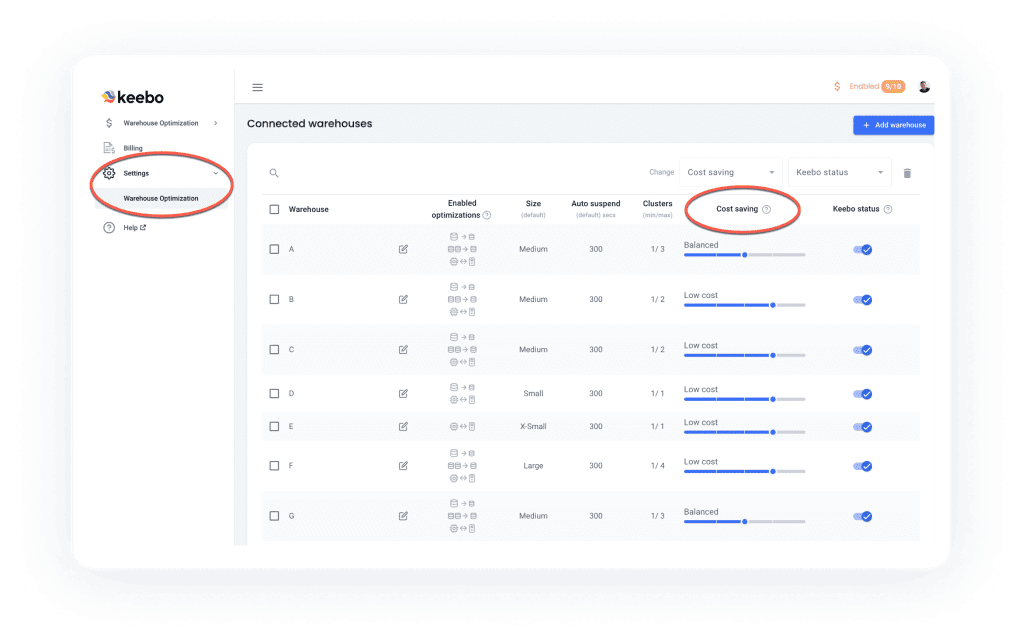
One key benefit of Keebo’s Snowflake optimization is full automation. Keebo runs continuously, so you can focus on higher-impact work. You can guide the system to align with your goals. Use the cost savings slider in Settings to control optimization behavior. Move the slider left to prioritize performance. Move it right to prioritize cost savings.

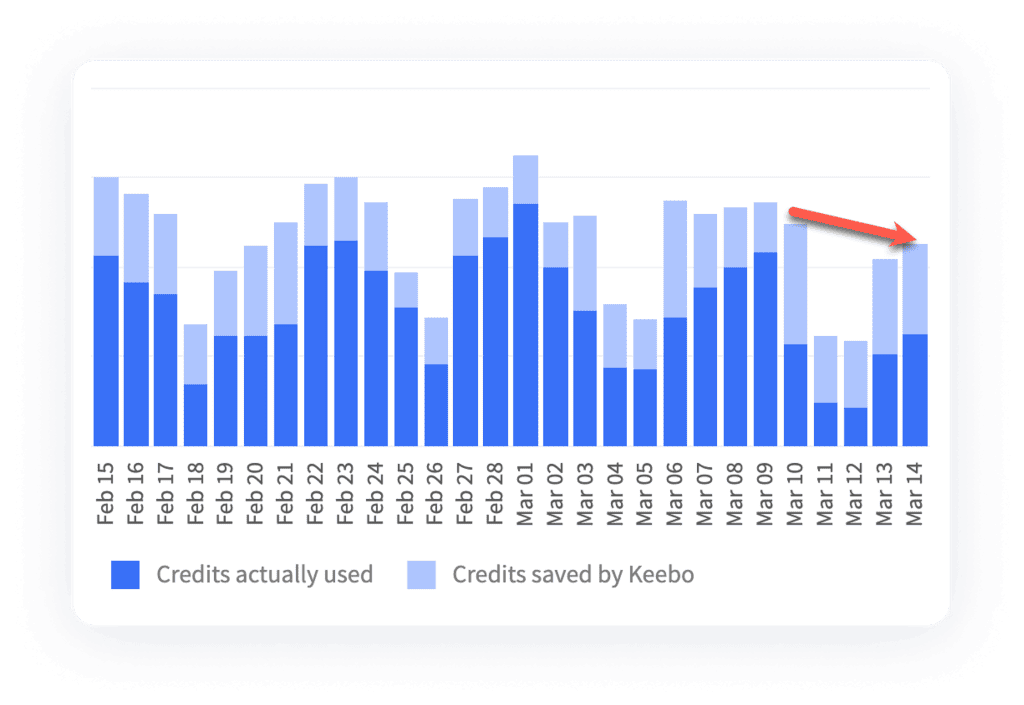
If you haven’t already, move the slider one position right to increase cost savings. Once you do that, you can check the saved credits graph in the Keebo portal the next day to see how much you have increased your savings. In this example, you can see the beginning of a downward credit usage trend once the slider was adjusted one position to the right:
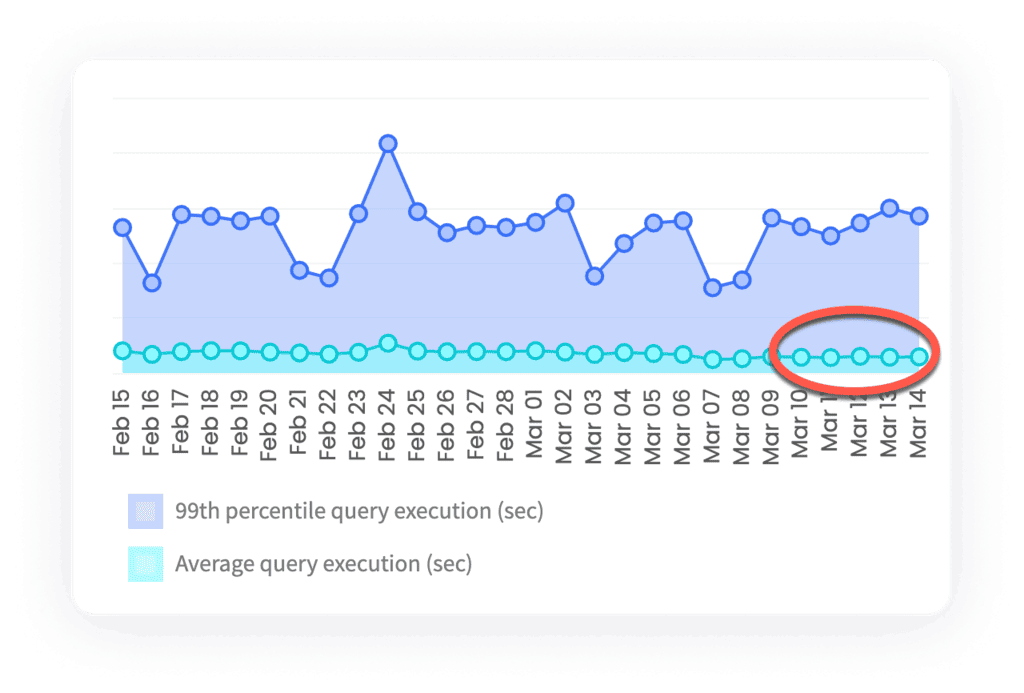
It is important to monitor query latency with the query execution time graph once you do make a change. If you don’t like what you see here, then you can always move the slider back to the left. In our example, there does not appear to be any negative impact after the slider bar was adjusted:
Following this approach, you can optimize in a way that saves you the most money possible while maintaining your desired level of query performance. To find the slider bar, log in to your Keebo portal, then click settings and then warehouse optimization.