Getting Visibility and Control of Keebo’s AI Optimizations

Keebo differs from other Snowflake optimization tools because it takes action, not just recommendations. Keebo automatically optimizes your Snowflake warehouses, sometimes hundreds of times per week. Competitors call Keebo a “black box” because they cannot take action. They claim our AI acts independently without visibility.
This “black box” claim is false. This article shows three ways Keebo keeps you in control:
- Seeing each optimization Keebo does
- Setting rules and limits to optimizations
- Auditing what your team is doing in Keebo
Our patented AI technology was peer-reviewed by SIGMOD, a leading data organization since 1975. We clearly explain our algorithms, inputs, and optimization goals.
Snowflake optimizations visualizer
The optimizations visualization in the Keebo portal will show you exactly what optimizations are being made and when, helping your data team understand the value Keebo is providing. Go to the Keebo portal and choose Optimizations.
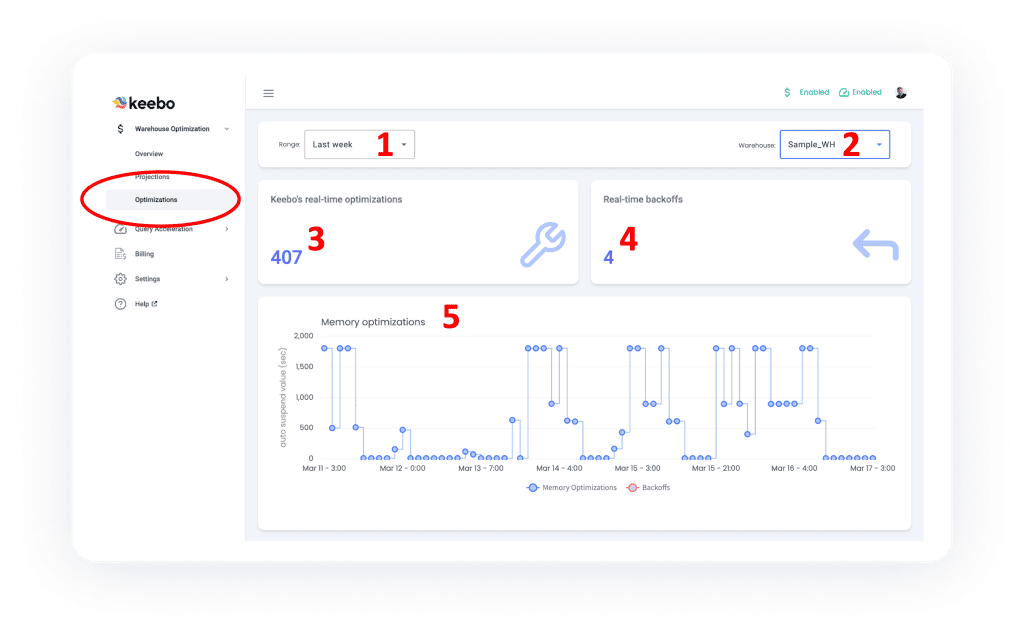
Using the optimizations feature is easy:
- Choose the time frame you want.
- Choose the warehouse you want.
- View a summary of optimizations for that warehouse and time frame.
- View all backoffs for that warehouse and time frame.Backoffs return settings to default to protect query performance.
- View the details of the optimizations for the warehouse and time frame.
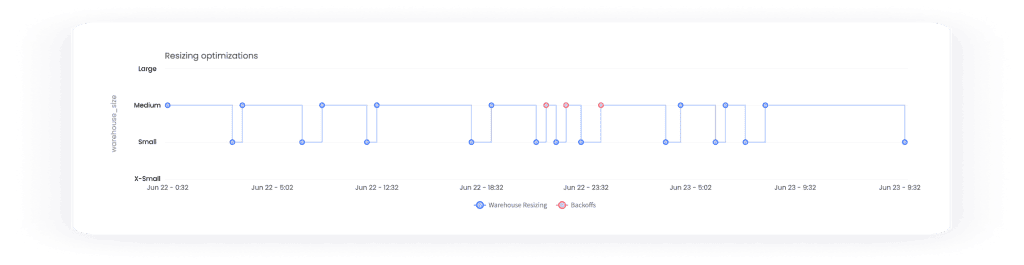
While the screenshot above is showing the detail for memory optimizations, when you scroll down you will see charts for automated warehouse resizing:
And if you are using clusters (Snowflake Enterprise edition), you will also see multi-cluster optimizations:
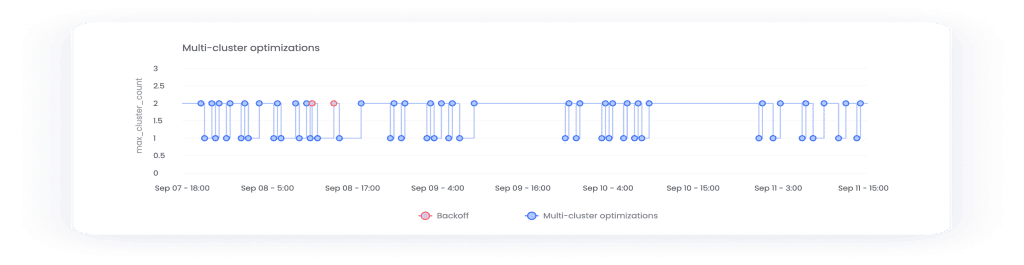
Further, we provide even more charts on the visualizations page that show you query count, average execution time, average queue time, and queued queries. This means you can cross-reference Keebo’s optimizations with your warehouse performance. Hopefully you can see that Keebo is actually an open book, not a black box.
Snowflake optimization rules
You can control the optimization settings for each Snowflake warehouse including:
- Turn optimizations on/off with a simple switch.
- Enable specific optimizations (memory, warehouse size, multi-cluster).
- Balance cost savings and performance.
- Set default values for optimizations.
- Set rules for optimizations.
It is this last one–rules–that I want to emphasize here. In the warehouse settings page, choose the edit button:

Next, create a new rule or edit an existing one:
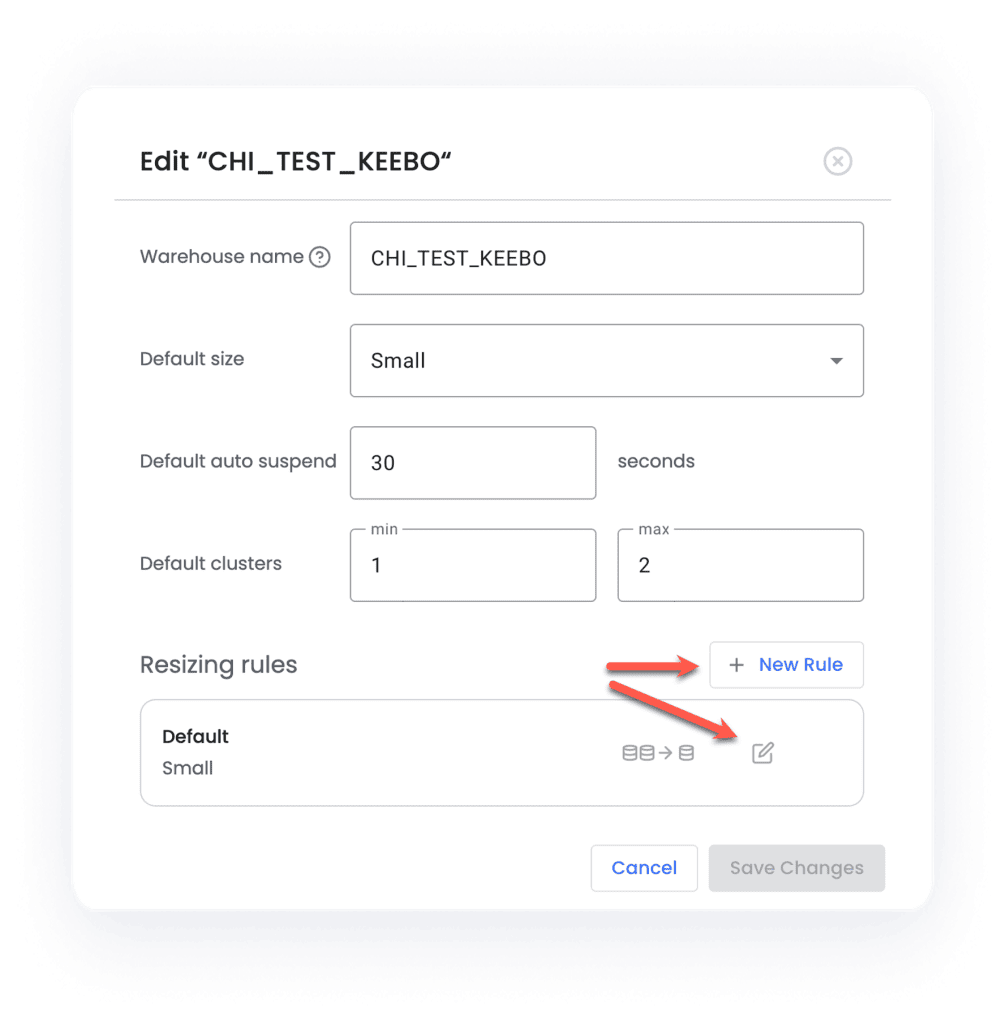
Now you can set all kinds of optimization boundaries, such as days, times, min/max and other default settings for each warehouse:
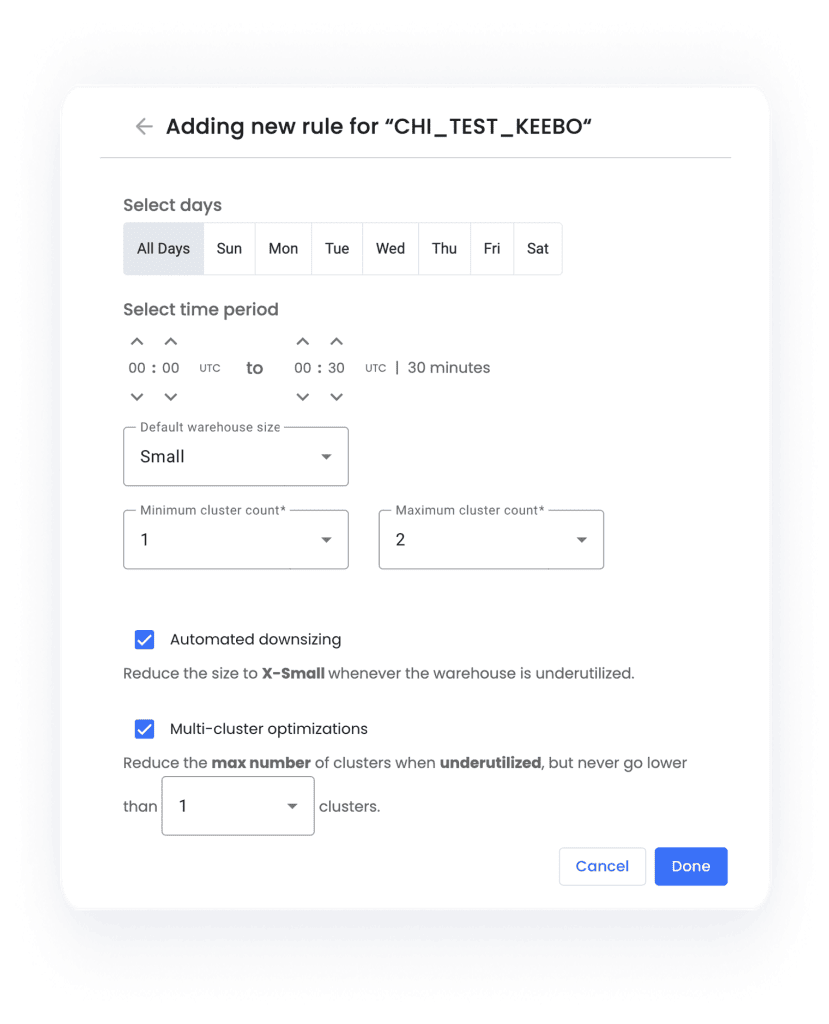
So not only do you see exactly what optimizations Keebo does and when, you also get fine-grained control of how the optimizations work. This is what we mean when we say you are always in control.
Auditing the data team
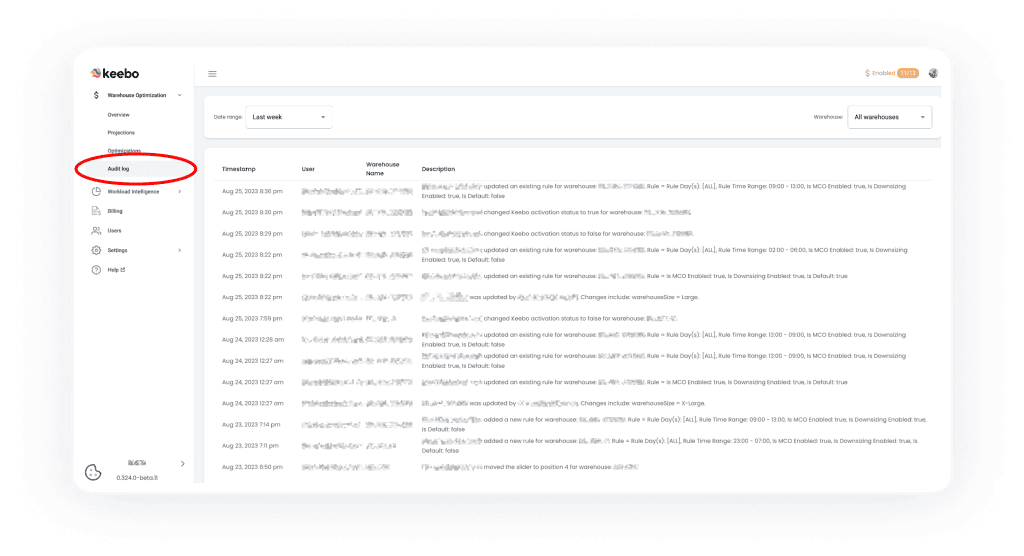
While you certainly want to keep an eye on AI operations, let’s not forget the human factor. We could probably argue that this is far more important to monitor! Just as optimizations visualization allows you to see every action Keebo takes, the audit log allows you to see every action any member of your data team takes in Keebo, such as turning Keebo on/off for a warehouse, adjusting the savings slider bar, creating rules, etc. You’ll find the audit log in the Keebo portal, and like with optimizations, you can set a time frame and particular warehouse:
Conclusion: automation and control
Keebo is the only Snowflake optimization solution that goes beyond giving you reports and recommendations. We take actions 24×7 to optimize Snowflake and save you money. You get your time back to focus on more important things rather than the trial and error methods of Snowflake optimization. Yet this automation comes with complete visibility and control, so you can be as hands-on as you like.