3 Ways To Speed Up Looker Dashboards


Slow dashboards hurt user experience. Basic Looker fixes exist, but AI can automate improvements for your data team.
As a Computer Science professor and Keebo Co-Founder, I’ve always valued Looker’s in-database architecture. In database classes, we teach best practice: push computation to where data lives.
Looker Live Connection Mode
“Live connection mode” improves security and removes repetitive, costly data extracts. It shows fresh data and lets users drill down with fewer inconsistencies. Despite advantages, this approach has one tradeoff: slower dashboards.
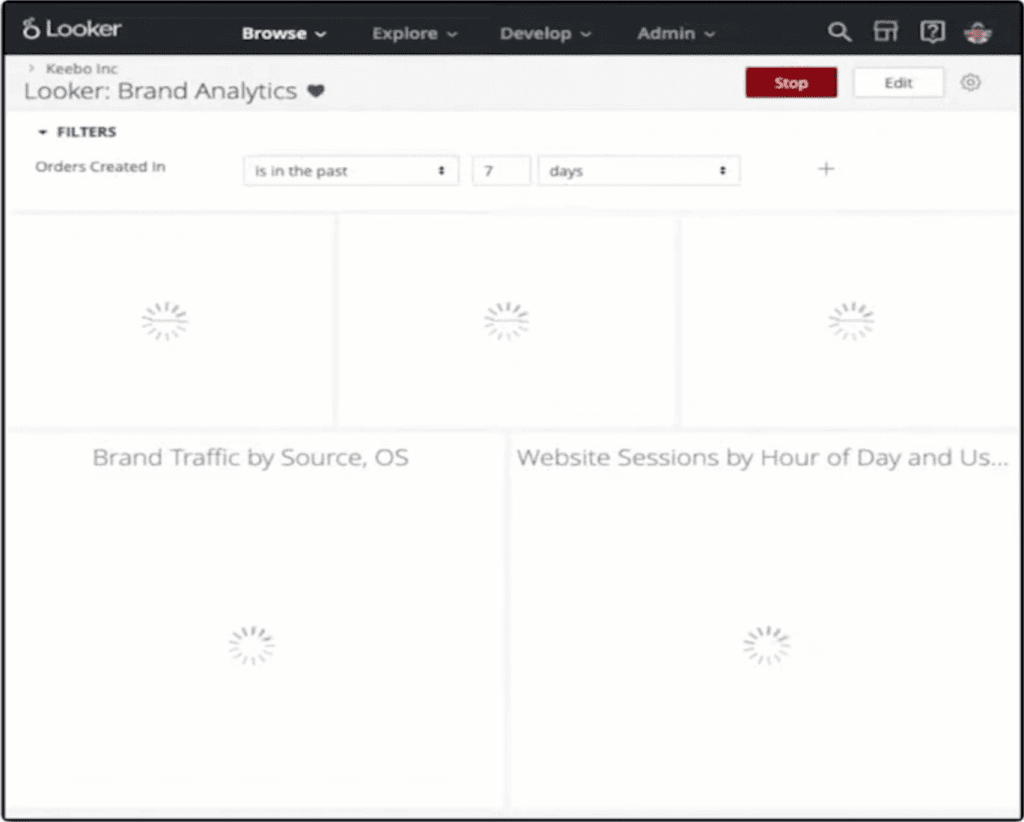
Loading a dashboard or changing a filter sends a new query to the database, causing waits for:
- Your database to run the query (Snowflake, Redshift, BigQuery, etc)
- The network round-trip time for the request and the results
- Looker’s own time to render the new results.
With 5-10 tiles, you must wait for 5-10 queries to finish. You may see loading wheels for 15-60 seconds depending on dashboard complexity. This worsens with multiple concurrent dashboard users.
The Problem With Slow Dashboards
Waiting 15-60 seconds discourages exploration and reduces “going to the data.” Studies show human engagement drops sharply if response time exceeds 2 seconds. The good news is that there are ways to mitigate this problem, so read on!
How To Speed Up Looker Dashboards
I’ll discuss two common approaches, then a new, automated, more effective approach.
Reduce The Number Of Tiles On Each Dashboard
This breaks latency into smaller chunks. For example, split a 60-second dashboard into two 30-second dashboards. Speed-up isn’t always linear, but the principle applies.
This is easy; no query optimization or schema changes are needed. This method isn’t ideal for information-rich dashboards, which lose value if split too much. It also doesn’t help tiles with inherently slow or expensive queries.
Manual Performance Optimization And PDTs
You can manually analyze SQL queries, change column types, add indexes, or run EXPLAIN plans. With Snowflake and Looker, we often see common query mistakes. You can also materialize common subqueries, either in your ETL pipeline or by using Looker’s PDTs (Persistent Derived Tables).
Manual optimizations, especially PDTs, dramatically speed up queries instead of scattering them. You can keep a data-rich dashboard with all KPIs together. But there are 3 major barriers to effective manual optimization that can put you on a treadmill of sorts:
- Analyzing dozens or hundreds of SQL queries to pre-aggregate or pre-join can be daunting. You may create views that update too often or too many costly pre-aggregated tables.
- You must ensure all dashboards use those aggregated views or PDTs correctly.
- It is time-consuming. New data sources, schema changes, and new dashboards require constant revisions. With this approach, work never ends; many teams are surprised by time spent on optimization.
Automated Performance Optimization Using Keebo
A third, automated approach addresses database performance problems. Since 2014, my Ph.D. students and I researched machine learning for automated analytical workloads. This area, called Data Learning, has achieved several breakthroughs. After successful deployments, we commercialized this idea in 2019 as Keebo.
Using Keebo To Accelerate Looker Queries
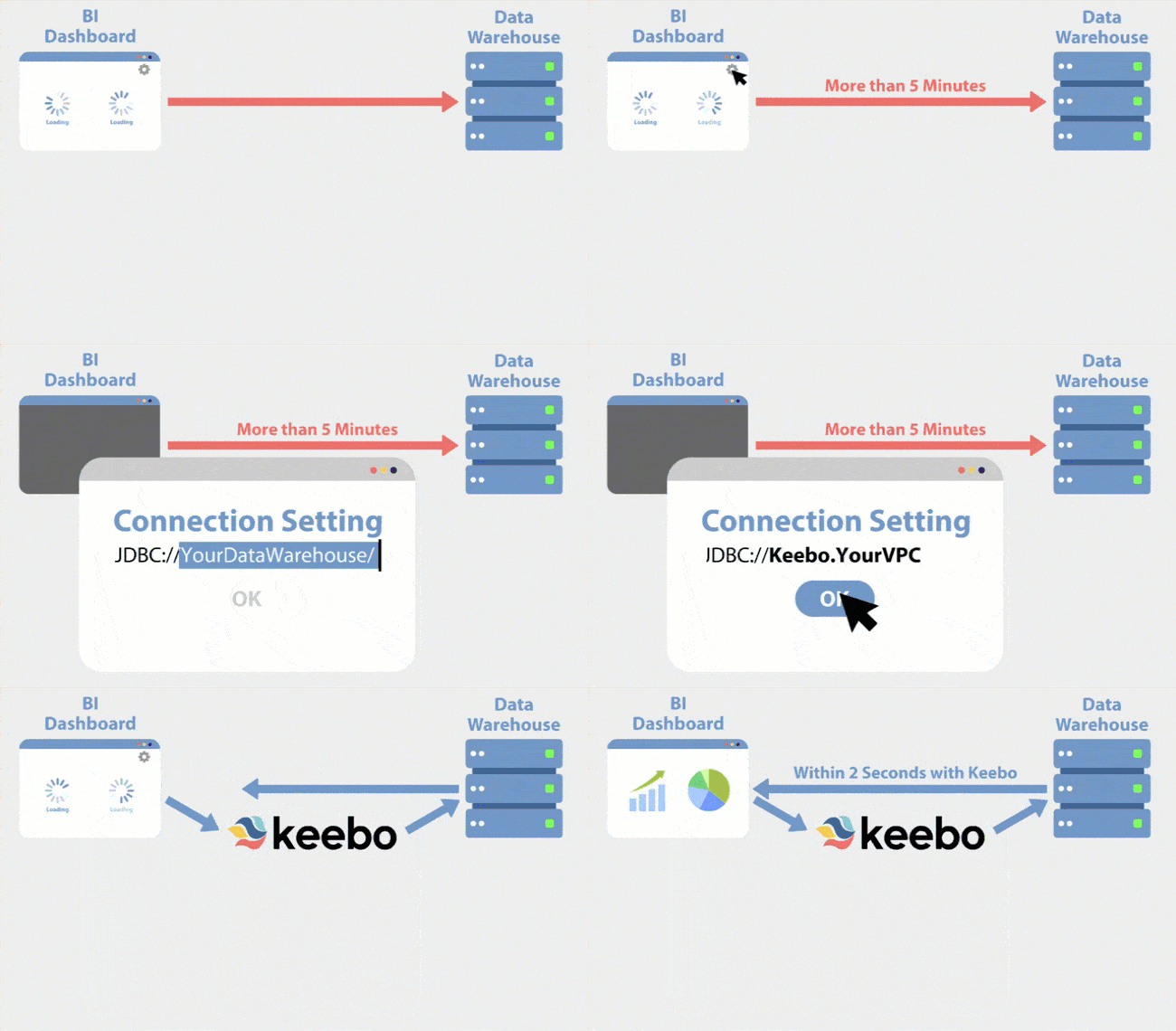
Data teams now use Keebo to improve user experience and query performance dramatically. Keebo’s Data Learning speeds up Looker dashboards without code or database changes. Keebo sits between your BI layer and data warehouse to automatically accelerate queries.
Setting Up Keebo
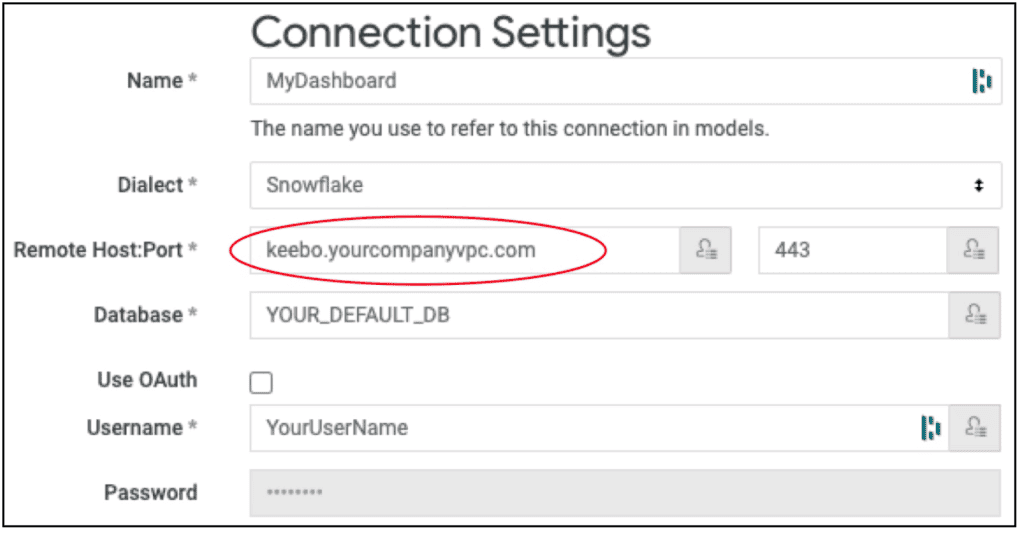
Looker connects to Keebo just like connecting to the database directly. No custom driver needed; connect or disconnect Keebo by changing the hostname. In Looker, change the connection hostname to Keebo. It’s that simple. Any dashboard on this connection accelerates automatically.
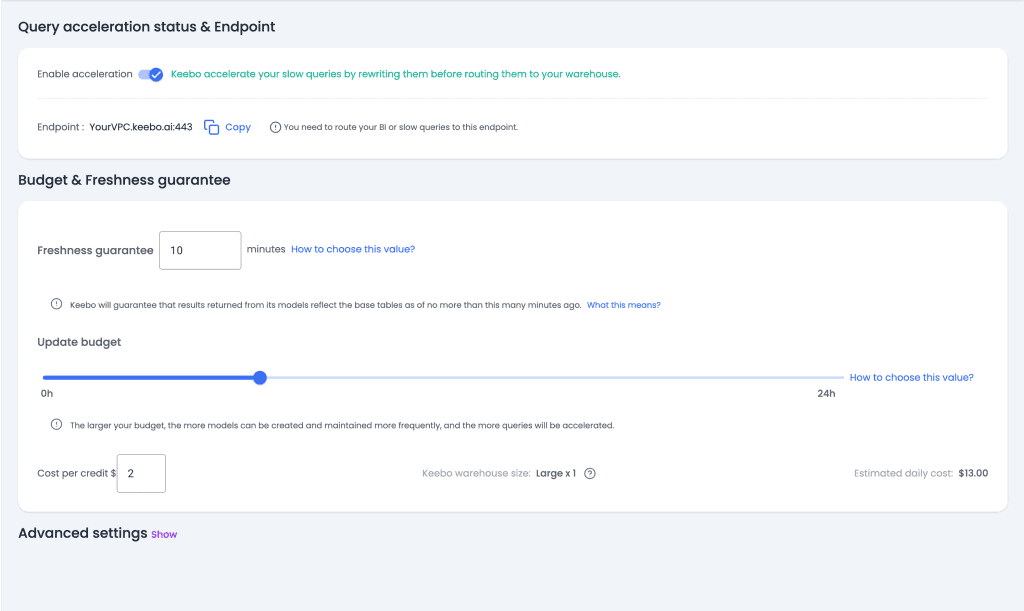
On Keebo (SaaS), you can set acceleration parameters, including data freshness and budget.
How Keebo Works
Once connected, Keebo learns “smart models” by analyzing queries and data. Keebo stores smart models in your data warehouse for security and efficiency. At runtime, Keebo analyzes queries when dashboards load or issue queries. For slow queries, Keebo rewrites them using smart models before sending to the warehouse. Computation and data stay inside your warehouse.
Smart models are smaller than raw tables and avoid expensive joins, aggregations, and filtering. Keebo’s rewritten queries can run up to 100x faster than originals.
Keebo’s Data Learning considers three factors when building smart models:
- Your data distribution, including high cardinality, skewed columns, and large tables.
- Your query distribution, including joins, grouping, filters, and aggregation patterns.
- Your storage budget. Keebo selects models to accelerate most slow queries within budget.
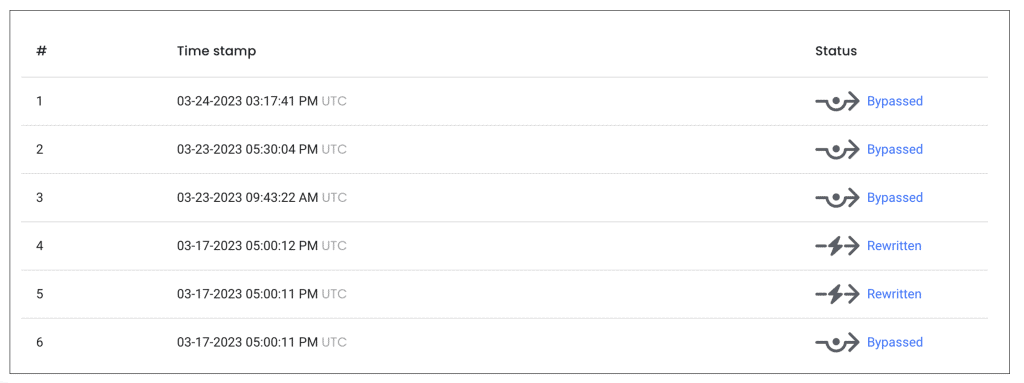
When data or schema changes, Keebo updates smart models automatically. Keebo monitors query patterns, creating new models or retiring old ones as needed.
Keebo Advantages
- Like Machine Learning, Data Learning analyzes millions of queries, which humans might struggle with.
- This automated approach often delivers up to 100x speedups.
- Less compute power reduces bills and may allow downsizing your cloud data warehouse.
- Unlike typical machine learning, Data Learning lets you examine rewritten queries.
- Keebo users automatically gain speedups without understanding the underlying changes.
- Queries are rewritten on-the-fly, but dashboards retain original, debuggable query forms.
- No need to manage views or ETL. Keebo updates models automatically with schema/data changes.
- When new queries or dashboards appear, Keebo adjusts its models automatically.
- Keebo stays behind your firewall; models and data remain secure in your warehouse. No large server is needed; queries run on your database.
Letting AI Do The Work To Accelerate Looker
Some tasks once thought to require humans can now be automated. Data Learning advances show optimizations, tuning, and complex pipelines can be automated. Data teams can focus on higher-value tasks like ensuring data quality or actionable insights.