
Snowflake Optimization Part 3: Warehouse Settings


Warehouse settings are the easiest Snowflake optimizations to implement. They also have the greatest impact on cost. Monitor them closely, as mistakes can offset gains elsewhere.
Keebo automatically optimizes cloud data warehouses. It performs thousands of Snowflake optimizations daily. This is the third article on Snowflake optimization. This article focuses on warehouse optimization.
These are the four most impactful warehouse optimizations for Snowflake.
Top Snowflake Warehouse Optimizations
Data Ingestion
Minimize ingestion costs based on whether you use a dedicated warehouse.
Start the warehouse before ingestion and stop it immediately after. Enable auto-resume and auto-suspend. Ensure no queries resume the warehouse after ingestion completes.
If sharing a warehouse, scale up before ingestion and scale down after.
Rightsizing the Warehouse
Choosing the right warehouse size is the most important cost decision. Size affects compute, not storage. Larger warehouses process queries faster. Snowflake currently offers the following sizes, each costing a different number of credits per hour.
| Warehouse size | Credits per hour |
| X-small | 1 |
| Small | 2 |
| Medium | 4 |
| Large | 8 |
| X-large | 16 |
| 2X-large | 32 |
| 3X-large | 64 |
| 4X-large | 128 |
| 5X-large | 256 |
| 6X-large | 512 |
Choose a size that handles most queries efficiently. Avoid sizing for the slowest query, which leads to underutilization. \n\nUndersized warehouses increase wait times. Use automation to adjust size dynamically when workloads vary.
Scaling up increases warehouse size. Scaling out increases clusters using multi-cluster warehouses.
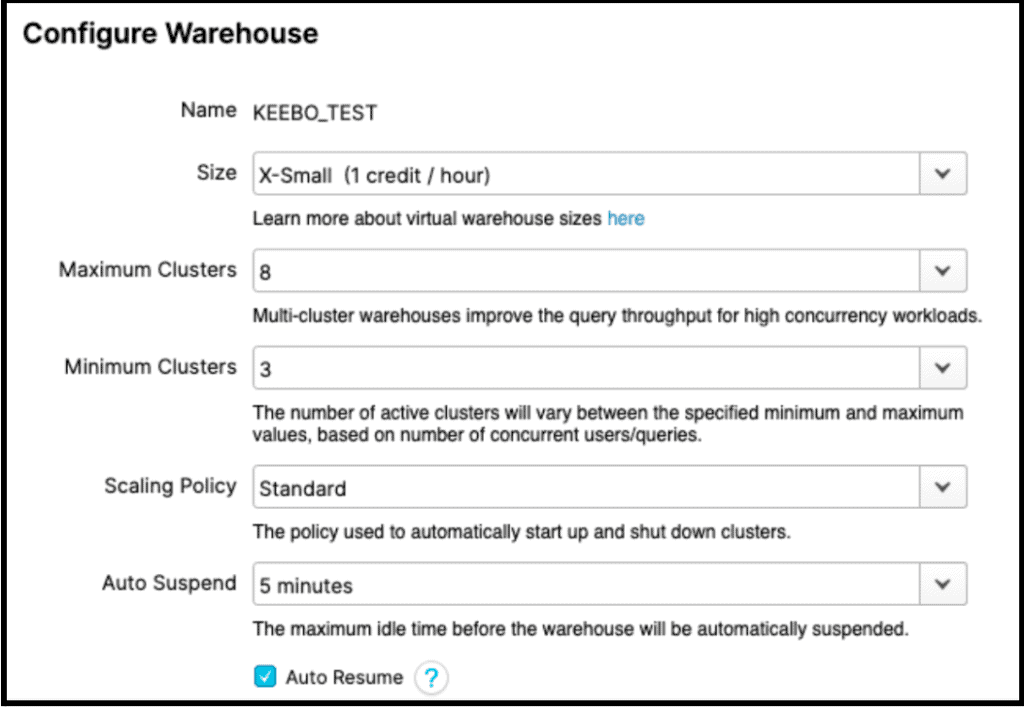
In theory, scaling up and scaling out can cost the same. In practice, performance differs by workload.
Scale up for slow queries. Scale out for high concurrency. The way most Snowflake customers determine if they have slow queries is to look at TOTAL_ELAPSED_TIME in their QUERY_HISTORY view. But this can be misleading because it only indicates a symptom and not the cause. To find out the root cause of slow queries, you need to look at the following fields in your QUERY_HISTORY view:
| COMPILATION_TIME | If this is high, it typically indicates overly complicated queries, such as nested queries (see part 1 of this series for more information). |
| EXECUTION_TIME | If this is high, it indicates expensive (long-running) queries. You need to either optimize these queries or scale-up to a larger warehouse. |
| QUEUED_PROVISIONING_TIME | Ideally, this number is 0. Many non-zero instances indicate the cluster is being suspended too frequently. Increase your “auto suspend” interval. |
| QUEUED_OVERLOAD_TIME | This is often the key to understanding TOTAL_ELAPSED_TIME. If a lot of fast queries are waiting behind slower queries, you will see considerable overload. To address this, you should ideally scale-out. If not that, then separate the slow queries and fast queries into separate warehouses. |
Combine Applications
Snowflake allows multiple warehouses on the same data. This helps with isolation and security but often increases compute costs. The reason is simple: Snowflake bills you by the number of seconds a warehouse runs multiplied by the credits per second for that warehouse size.
Consider this example. You have a query Q1 arriving at 9:00 am that runs for 60 seconds in a large warehouse. You have a second query Q2 arriving at 9:01 am that runs for 120 seconds in the same warehouse. Even if you set your auto suspend to be 3 minutes, you will be paying for your cluster to run from 9:00 am to 9:06 am. Since a large warehouse costs 8 credits per hour, you will be billed 0.8 credits for these 2 queries: 8 * 6/60 = 0.8.
Now let’s compare this to a situation where you have separated your workload into 2 warehouses: W1 and W2, where Q1 runs on W1 and Q2 runs on W2. Now you will be paying for W1 running from 9:00 to 9:04 (1 minute for the query plus 3 minutes for auto-suspend) and W2 running from 9:01 to 9:05 (2 minutes for the query plus 3 minutes for auto-suspend). This is a total of 9 minutes of a Large warehouse which will be billed for 1.2 credits: 8 * 9/60 = 1.2. You could keep costs comparable by downsizing W1 and W2 but this would result in a performance penalty of roughly doubling the latency of the queries.
Now you could take this to the extreme and run the entire organization on a single warehouse. That is not our recommendation, either. There are good reasons for using multiple warehouses, but these decisions must be made with a full understanding of the financial costs.
Auto-suspend
Auto-suspend stops warehouses during inactivity and resumes them when queries arrive. \n\nShort intervals drop cache and increase latency. Longer intervals increase cost. Choose a balanced setting.
Conclusion
Warehouse optimization is complex and difficult to manage manually. Manual tuning often leaves savings unrealized. \n\nKeebo automates warehouse optimization, improves performance, and reduces costs in real time.